

Playbook · Chapter 6
The Demo (Tell the Story)
"The Demo (Tell the Story)" emphasises crafting a relatable, targeted product demonstration that goes beyond a simple feature walkthrough.
Key takeaways
- A demo tells the customer's story. Show how the product solves the pains you found in discovery, not every feature.
- Preparation decides the outcome: revisit your discovery notes, tailor the flow to the audience and rehearse.
- A failed demo costs time, money and reputation. Plan the follow-up before you start, and adapt your style when you present remotely.
The Demo (Tell the Story)
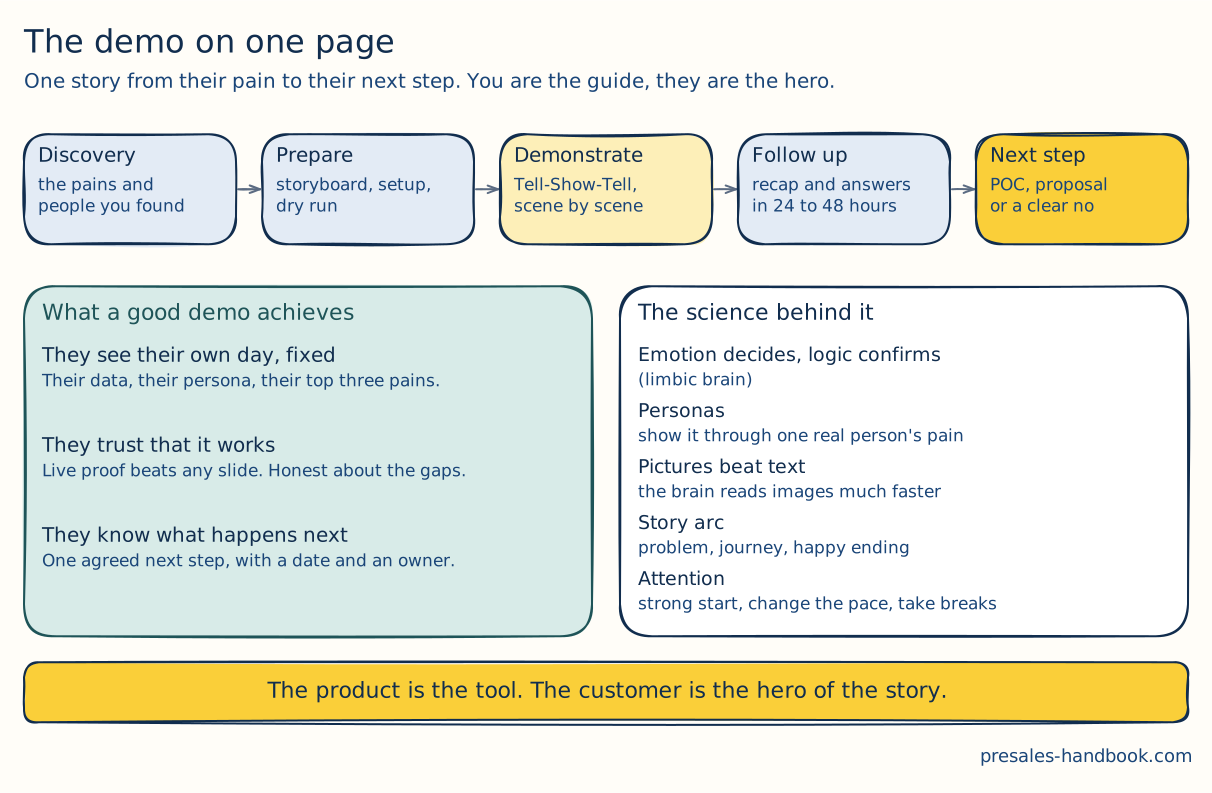
The whole chapter in one picture. The top row is the road. Bottom left is where you want to end up. Bottom right is why it works. Each part gets its own section below.
The product demo is a key moment in the presales process. Concepts and product functions turn into concrete solutions for the prospect's own challenges. A good demo is interactive. It engages the audience, builds trust and shows what the product can change in the prospect's operations.
How to build and run a convincing demo:
Transformation from Abstract to Tangible: The demo turns abstract product features into practical solutions that prospects can picture in their own operations.
Beyond Features - Engagement and Interaction: Good demos are interactive. They invite questions and discussion, so the audience finds out for itself what the product can do for them.
Building Trust through Demonstration: You show the product in action, work on specific challenges and prove it is stable. That removes scepticism and turns doubt into trust.
Empathy and Storytelling: Good demos show product knowledge and a real understanding of the prospect's challenges. That understanding shows the solution was made for exactly these problems.
Narrative-Driven Approach: Modern demos tell a story. The customer is the hero, and the product is the tool that helps them. The story covers the common challenges, how they get solved and the goals reached at the end. That structure makes the demo memorable.
The Role of PreSales Professionals: In a demo you present the product and shape the business relationship that follows. You need both the craft and the science of a demo to show how the product can change the prospect's operations.
The Science behind the Demo
The science behind the demo rests on two ideas: limbic, persona-based selling and selling with pictures. Both create an emotional connection. They speak to the client's limbic system, the part of the brain that shapes decisions. You define personas, use emotional pictures and stories, and apply storytelling techniques. That makes your demos stronger and easier to remember.
The strategies at a glance:
Limbic Persona-Based Selling:
Emotional Connection: The limbic system drives emotions and decisions. Use that to reach clients on an emotional level.
Personas: Build detailed personas for your ideal clients. Base them on research and real data: demographics, behaviour, motivations and goals.
Visuals and Narratives: Use emotional pictures and metaphors that fit the personas' challenges or goals. Build stories around these personas.
Visual Picture-Based Selling:
Power of Visuals: The brain prefers visual information. It processes pictures much faster than text and remembers them better.
Engaging the Limbic System: Use pictures that trigger specific feelings. Match them to the personas' pain points or goals. That reaches the emotional centres of the brain and builds a real connection.
Storytelling:
Relatable Journeys: Build stories around the demo that show real challenges, how they get solved and what the product changes.
Personas and Challenges: Good personas help you understand your audience. Your stories become more relatable and concrete. The persona is the hero of the story, and the product helps them win.
Practical Implementation and Considerations:
Tailored Demos: Adapt each demo to the personas in the room. Use chosen pictures and stories, so the audience feels the challenge and can picture the solution.
Feedback and Refinement: Collect feedback and keep refining. Check that the pictures, stories and emotional triggers land as intended.
Training: Train sales and marketing teams in the ideas behind limbic, persona-based selling, so they can adapt in the moment.
Challenges and Solutions:
Balancing Emotional and Logical: Emotion matters, and so does logic. Answer the rational questions too, so the demo works on a personal and a business level.
Authenticity: Keep the emotional side honest. If it feels manipulative, you lose trust.
Incorporating Emotion into the Demo:
Human Aspect: Relatable success stories connect product features to real results. Clients can then picture themselves getting the same benefit.
Empathy: Show that you understand the client's specific challenges, and present the product as the answer. That builds a stronger connection and trust.
Enthusiasm: If you believe in the product's value, let it show. Enthusiasm is contagious and makes the demo more convincing.
Emotional Arc: Give the demo an emotional arc. It starts with the client's challenges and ends with the product as the solution.
Engagement Strategies:
Interaction: Turn the monologue into a dialogue. Ask questions and ask for feedback throughout, so the audience stays involved.
Active Listening: When the audience gives input, listen visibly. It shows respect and keeps the mood positive.
Pacing: Vary the pace. Mix fast segments with slower, detailed explanations and smooth transitions. That keeps attention up and the presentation lively.
Anchoring: Use strong pictures and memorable statements as anchors. They create moments the audience can recall later.
Understanding the Psychology of Attention:
Engaging Start and Novelty: Open with something that catches attention, and add something unexpected now and then. That holds the audience.
Value Proposition (opens in a new tab) and Comfortable Environment: State the value proposition early, and make sure the audience is comfortable. Both raise attention and engagement.
Breaks and Attention Span: Plan breaks in longer sessions. They fight fatigue, so the audience takes in more.
Interactive Elements and Multi-sensory Engagement: Use interactive elements and engage more than one sense. The audience stays involved and remembers more.
Demo Process
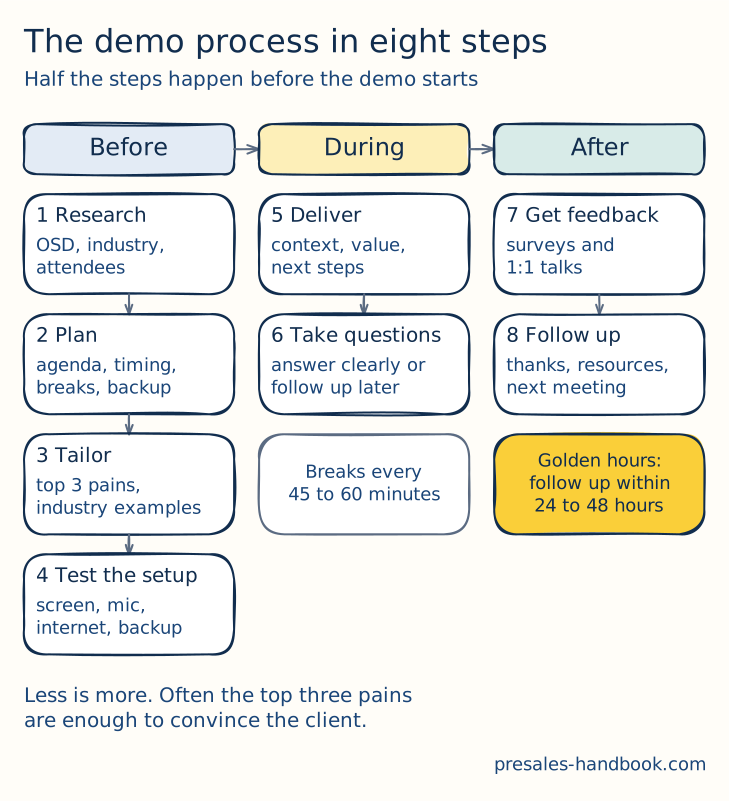
1. Pre-Demo Research:
Objective: To understand clients' context, needs, and challenges in tailoring the demo accordingly.
Activities:
- Review notes from the discovery phase (OSD) (opens in a new tab) to understand clients' pain points and objectives.
- Conduct additional research on client industry, competitors, and recent news or events.
- Identify key stakeholders who will attend the demo and understand their roles and priorities.
2. Demo Planning:
Objective: To structure a demo to align with clients' needs and ensure logical flow.
Activities:
- Outline the main sections or features of the demo.
- Determine the duration and allocate time for each section, ensuring time for Q&A.
- Plan Breaks every 45 to 60 min.
- Prepare backup plans for potential technical issues such as connectivity problems or software glitches.
3. Tailoring Content:
Objective: To customise demo content to resonate with client-specific challenges and objectives.
Activities:
- Highlight features or functionalities that directly address clients' pain points. Less is more. Showing just the top 3 challenges and how to solve them may be enough to convince the client.
- Use industry-specific examples or scenarios.
- Avoid generic pitches; personalise the content based on prior interactions and research.
4. Technical Setup:
Objective: To ensure a smooth demo experience without technical hiccups.
Activities:
- Test all equipment and software beforehand, including screen-sharing tools, microphones, and video.
- Ensure a stable internet connection.
- Have backup devices or alternative platforms ready in case of unforeseen issues.
5. Execution:
Objective: Deliver a compelling and engaging demo.
Activities:
- Begin with an introduction, setting the context, and agenda for the demo.
- Show the product or solution, emphasising its benefits and value proposition.
- Engage the audience with questions, interactive elements, or real-time feedback.
- Address questions or concerns promptly and clearly.
- Conclude by summarising key points and outlining next steps.
6. Addressing Questions:
Objective: Engage with the audience and address their concerns or queries.
Activities:
- Encourage questions throughout the demo to ensure clarity.
- Listen actively to the questions and provide concise, clear answers.
- If unsure about a particular query, commit to returning an answer post-demo.
7. Feedback Collection:
Objective: Gather insights on the demo's effectiveness and areas of improvement.
Activities:
- Distribute post-demo surveys or feedback forms to attendees.
- Conduct one-on-one feedback sessions if feasible.
- Analyse feedback to identify trends, positive takeaways, and areas requiring refinement.
8. Follow-Up:
Objective: Keep the deal moving and nurture the client relationship.
Activities:
- Send a thank-you note or email to attendees to thank them for their time.
- Share additional resources, documentation, or answers to questions raised during the demo.
- Schedule follow-up meetings or discussions to explore specific topics further or move forward in the sales process.
The Structure
A clear structure helps you connect with potential clients and show what the product can do. These are the demo types and the parts of a good demo:
Types of Demos and Their Purposes:
Inspiration Look & Feel Session: Sparks interest and gives a first look at what the product can do, without much detail.
Deep Dive Demo: Goes deep into the product, its features, benefits and possible use cases.
Q&A Session: An interactive format. The audience asks, you clarify and go deeper where they want.
RFX (opens in a new tab) Demo: Built around specific RFP requirements. It answers the questions and needs listed in the request.
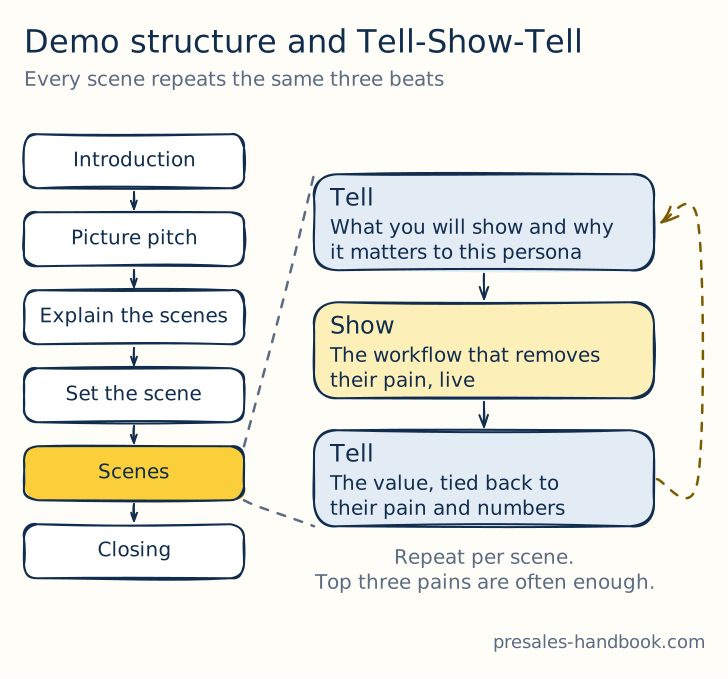
The demo arc. Every scene runs through Tell-Show-Tell.
Crafting a Successful Demo:
Introduction: Open with something that catches attention. Introduce the team and the agenda, and say when the breaks are, so people can stay focused.
Picture Pitch: Start with a strong visual story. Show the key product features and benefits to build interest.
Explaining the Scenes: Split the product into clear parts or modules in a logical order, and link each to a user persona.
Setting the Scene: Introduce the user personas, their challenges and how the product solves them in practice.
Tell-Show-Tell: Say what you will show, show it live, then repeat the value and tie each feature to a practical benefit.
Closing: Sum up the overall benefits, backed by testimonials and case studies. Then state the next steps clearly.
The Demo Preparation
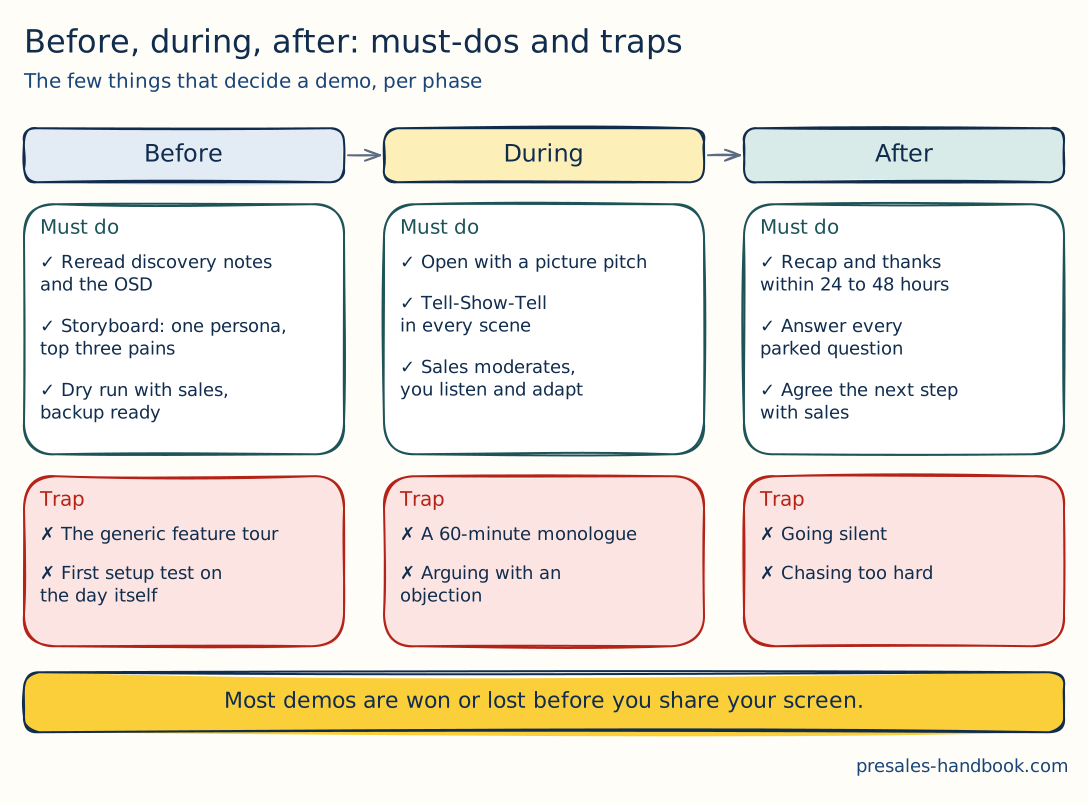
The eight steps above tell you what to do. This one tells you what matters most, and where people usually trip. The next three sections go through each phase in detail.
A demo succeeds on the product's capabilities and just as much on the preparation before it. These are the key steps:
Understanding the Client's Needs:
Go Through the Client Requirements: Start by rereading your discovery notes. Look past what the client says they want, and rank both their stated and their hidden needs.
Industry-Specific Challenges: Tailor the demo to the problems the client faces in their industry. Present the product as the answer to their most pressing issues.
Storyboarding the Demo:
Narrative Planning: Write a storyboard or demo script with the flow and the key moments. Use scenarios and personas that mirror the client's operations, so the relevance is obvious.
Reflect on Structure: Check that the storyboard follows the structure described above, so the demo feels consistent.
Configuring the Product Environment:
Personalization: Set up the demo environment with the client's branding, data or configuration. That shows how the product adapts and what it could do in a familiar setting.
Anticipating Questions and Concerns:
Prepare Responses: Think ahead about likely questions or objections, and prepare clear, short answers.
Proactivity: Use questions to clarify and confirm the product's value, and keep the deal moving.
Conducting a Dry Run:
Environment Stability: Check that the demo platform or product is ready and stable.
Align with Sales: Work with the sales team to agree on the story and fine-tune the demo.
Technical Preparations: Prepare for technical problems, with fallbacks such as prerecorded segments for virtual demos.
Rehearsing for Perfection:
Practice: Run through the demo several times to polish it, spot problems and gain confidence.
Mock Demos: Give a mock demo to colleagues and ask for honest feedback on focus and delivery.
Supplementing with Additional Materials:
Comprehensive Resources: Keep case studies, whitepapers and testimonials at hand. They give prospects more context or a closer look after the demo.
Utilize Prerecorded Demos: Consider prerecorded or interactive demos as extra material the client can explore.
The Demonstration
A memorable demo rests on careful preparation, teamwork and a good story.
Team Collaboration with Sales
Work closely with sales during the demo. The account executive moderates: keeps the session on track, watches the time and adds client success stories to keep the energy up. Sales can read the room and adjust the direction and tone to the audience. That helps you a lot.
The Picture Pitch
The Picture Pitch raises engagement and helps people remember. You click quickly through images while you talk. The audience stays with your message, and the session feels lively. It uses the brain's preference for pictures, so complex ideas become easier to follow.
Tell-Show-Tell with Personas
Add personas to "Tell, Show, Tell", and the demo becomes personal and relatable. You explain the product's value from the view of specific personas, with their needs and emotional triggers.
Engaging the Audience
Engagement comes from interaction, visual aids and attention to each stakeholder's needs. Live polls and questions get people to take part. Visual aids simplify complex data and help people remember. Tailor parts of the demo to the concerns of different stakeholders, so everyone stays involved.
Handling Objections
Calm objection handling (opens in a new tab) is a core presales skill. Treat each objection as a chance to clarify and go deeper. Listen actively, park questions for later when needed and never take an objection personally. Acknowledge the objection and ask for more detail, so you can answer the real concern and show the product's value.
After the Demo
After the demo, you turn the interest from the session into concrete actions and decisions. In the days after the demo, you keep the deal moving, answer concerns and guide the prospect toward a decision.
Immediate Follow-up
Follow up within 24 to 48 hours after the demo. Like the "golden hours" in emergency care, quick action here changes the outcome. Send a personal thank-you note, repeat the key points and share any resources they asked for.
Gathering Feedback
Ask attendees for direct feedback through a survey or a call. It shows what worked and what to improve. Also review the demo with your own team to make the next one better.
Keeping Communication Open
Send a short recap to all attendees. Repeat the key points and the value proposition, and tell them where to send open questions. That shows you are open and care about their satisfaction.
Nudging Toward the Next Step
Once the concerns are answered, guide the prospect to the next logical step: a deeper session, a trial or a purchase decision. Keep it natural and low-pressure, and give the client a clear path forward.
Addressing Questions and Concerns
After the demo, collect and sort every question that came up. Take time to research them and send full answers. Make sure prospects know how to reach you with more questions.
Sharing Supplementary Materials
Share extra resources such as product manuals, case studies and videos. The client can then explore the product at their own pace.
Scheduling a Follow-Up Meeting
Stay in touch through regular check-ins. Share updates or new features released since the demo. That keeps the conversation going.
Collaborating with Sales
Presales and sales share what they learned in the demo. Then the follow-up conversations fit the client's needs, and your proposal stays on the client's mind.
Analyzing Demo Feedback for Improvement
Use demo feedback to spot patterns and improve your presentation. Each round brings the next demo closer to what clients need.
Staying on the Prospect's Radar
Check in with the prospect regularly and share relevant content or product updates. That keeps your solution in mind and shows you want a partnership after the sale too.
Closing the Loop: When to Move On
Know when to close the loop with a prospect, and leave the door open for later. Accept their decision with respect and say you are happy to talk again. That keeps the goodwill for a future project.
Why Demos fail and how to avoid it
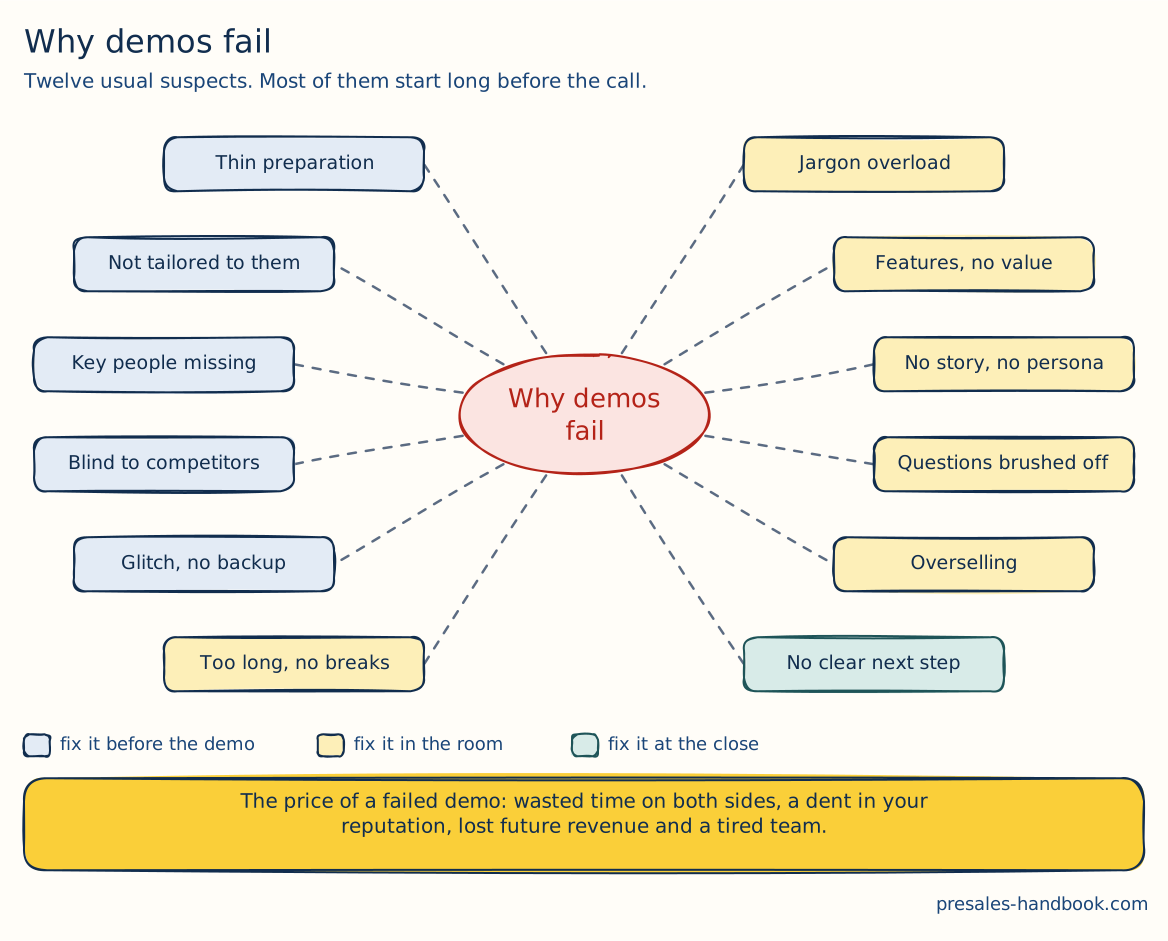
Twelve usual suspects. The colour tells you when to fix each one. Blue ones you fix at your desk. Yellow ones in the room. The green one at the close. The details and the fixes follow below.
Demos are central to presales, because they show the value of a solution live. A failed demo costs more than one lost chance. It wastes time and resources and can damage a company's reputation. Know the common pitfalls, and you can avoid them.
The High Stakes of Demo Failures
Lost Investment: The presenting team and the prospect both spend a lot of time preparing for and attending a demo. A failed demo wastes all of it.
Reputational Damage: Industry circles are small. A poor demo can quickly hurt a company's image and its future chances.
Financial Impact: Beyond the lost sale, a failed demo can cost long-term revenue from repeat business and referrals.
Team Morale: Repeated failures wear down the presales team and hurt their enthusiasm and performance in the next demos.
Avoiding Common Demo Pitfalls
Ensure Preparation: Poor preparation loses trust fast. Prepare thoroughly and check the equipment.
Tailor to the Audience: Build the demo around the audience's specific needs and pain points, so it stays relevant.
Simplify: Skip unnecessary technical jargon. Focus on features that directly meet client needs.
Highlight Business Benefits: Link each technical feature to a concrete business benefit, so the value is clear.
Address Questions and Concerns: Make prospects comfortable asking questions, and give full answers. That builds confidence.
Handle Technical Glitches Gracefully: Technical problems happen. Be open about them and have a backup ready, and you show you can solve problems.
Avoid Overselling: Be honest about what your product can do. That builds trust and prevents disappointment later.
Engage All Stakeholders: Address every relevant decision-maker in the demo, so the decision does not stall later.
Know the Competition: Know how your solution compares with competitors, so you can point out what sets it apart.
Set Clear Next Steps: End the demo with a clear action plan, so the deal keeps moving.
Incorporate Storytelling: Build a story around the demo. It creates an emotional connection and makes the session easier to remember.
Presenting in person vs. remote
| In-Person | Remote |
|---|---|
| Advantages: Immediate Feedback: Reading body language and facial expressions gives instant insights into the audience's reactions. Better Engagement: Physical presence often leads to better attention and interaction. Networking Opportunities: The potential for informal interactions before or after the session can build deeper relationships. Challenges: Logistical Concerns: Travel, accommodation, venue arrangement, and ensuring all equipment is on-site and functioning. Limited Reach: Geographical constraints might limit the number of stakeholders attending. Time-Intensive: Involves more time, especially when considering travel. Best Practices: Early Arrival: Arrive early to set up and test all equipment. Engage Beyond the Demo: Use breaks and post-demo time to engage attendees informally. Provide Handouts: Physical materials like brochures can serve as reminders post-presentation. | Advantages: Flexibility: Can be scheduled more freely without worrying about travel constraints. Wider Reach: Multiple stakeholders from different locations can join. Cost-Efficient: Eliminates travel and accommodation expenses. Challenges: Tech Hiccups: Dependence on internet connectivity and software can sometimes lead to technical issues. Engagement: Keeping participants engaged in a virtual environment can be challenging. Lack of Personal Touch: The absence of face-to-face interactions can make it harder to build rapport. Best Practices: Tech Check: Always conduct a technical trial run to ensure software compatibility and stable internet. Engagement Tools: Utilise features like polls, chats, and Q&A to keep the audience engaged. Virtual Backgrounds: Professional or neutral backgrounds can minimise distractions. |
Top tips for presenting remote, in person or hybrid: PreSales tips (opens in a new tab)
PreSales Perspective
From the presales side, a demo is a story that shows the product's capabilities and fits the customer's needs. That makes the benefits concrete.
Transformation from Abstract to Tangible
Make sure the demo turns abstract product features into real applications. Show what the product does, and how, in the customer's own business environment. The customer should be able to picture the solution in their processes, solving their problems.
Beyond Features: Engagement and Interaction
Make the demo interactive and get the customer involved. That can mean live Q&A, adjusting the demo on the spot to answer a question, or hands-on time where possible. The more the customer takes part, the better they understand the product and its impact.
Building Trust through Demonstration
Show the product in action, especially on the known pain points. That proves the product's value and reliability and builds trust. Be ready for tough questions, and show how the product behaves in different scenarios.
Empathy and Storytelling
Stories in which the customer solves a critical problem with the product's help are powerful. Tell stories with typical industry challenges and how other organisations solved them with the product. That keeps the demo engaging and helps customers link the capabilities to their own needs.
Narrative-Driven Approach
The whole demo follows one story, from the problem to how the product solves it. Make the storyline clear from the start. Then tie every feature you show back to it. That makes the demo stronger and easier to remember.
Role of PreSales Professionals
Presales advises the customer. The demo is one tool for that. You show how the product meets the customer's needs and supports their business processes. Act as a trusted advisor who guides the prospect through the decision, and make sure the features fit their strategic goals.
Templates for this chapter
 PDF · 94 KB
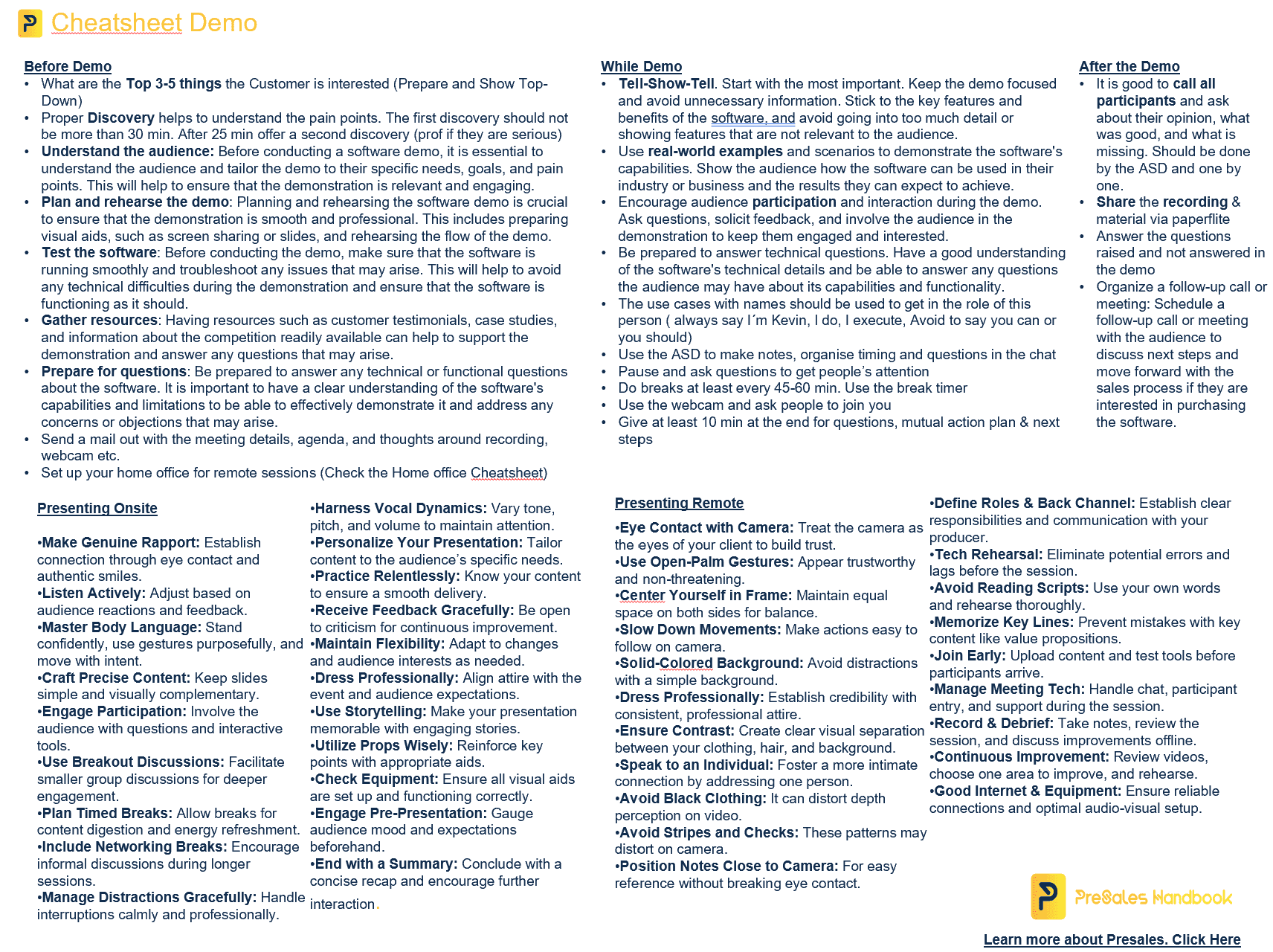
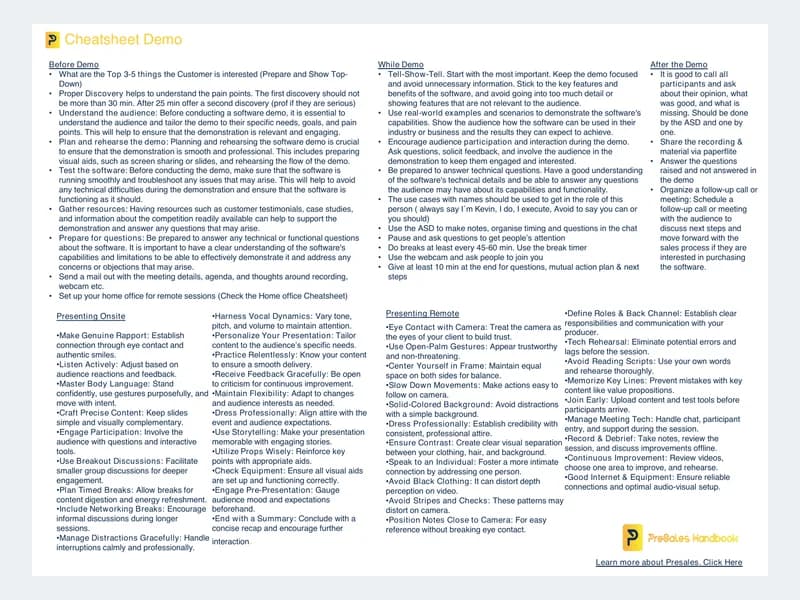
Demo cheat sheet
Prepare, run and follow up a demo with Tell-Show-Tell. One printable page.
 Included with the coursePPTX · 14.1 MB
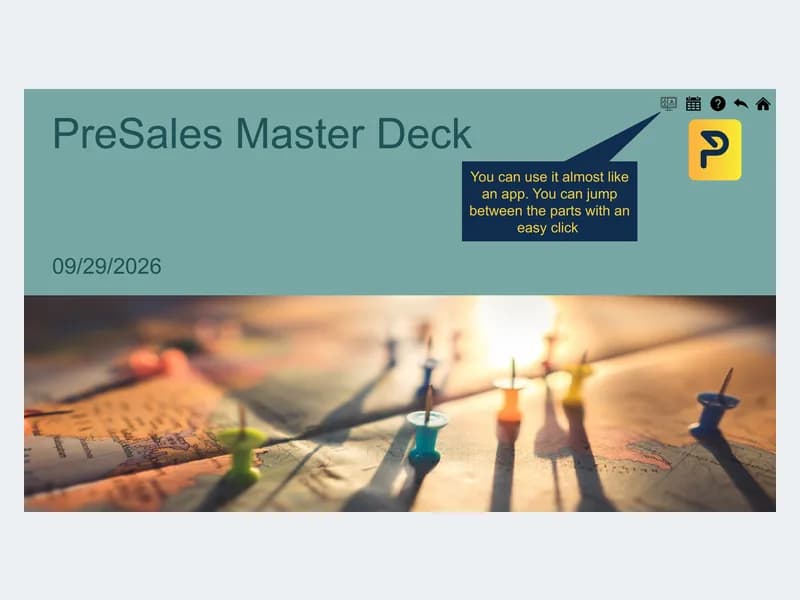
Master demo deck
A clickable slide deck to structure your demo story from agenda to next steps.
From the blog
- 5 min read
What PreSales Can Learn from The Wolf of Wall Street
The Wolf of Wall Street is about bad ethics, but also about storytelling and conviction. What presales can take from it and what to leave.
Read more - 6 min read
What Humane AI Pin’s Failed Launch Teaches Us About the Need for PreSales
The Humane AI Pin promised a lot and failed at launch. What its story shows about the need for honest presales and real discovery.
Read more - 3 min read
What Cooking and PreSales Have in Common
A good recipe, the right ingredients, mise en place and a taste test. What cooking teaches about running great presales work.
Read more